 SubVora
Every renewal, before it lands.
SubVora keeps every subscription you pay for in one place, reminds you before the next charge, and shows what you really spend each month, even when you pay in more than one currency.
What SubVora does
Streaming, music, software, the gym: small charges that are easy to lose track of. SubVora puts them on one screen and tells you before each one comes out of your account.
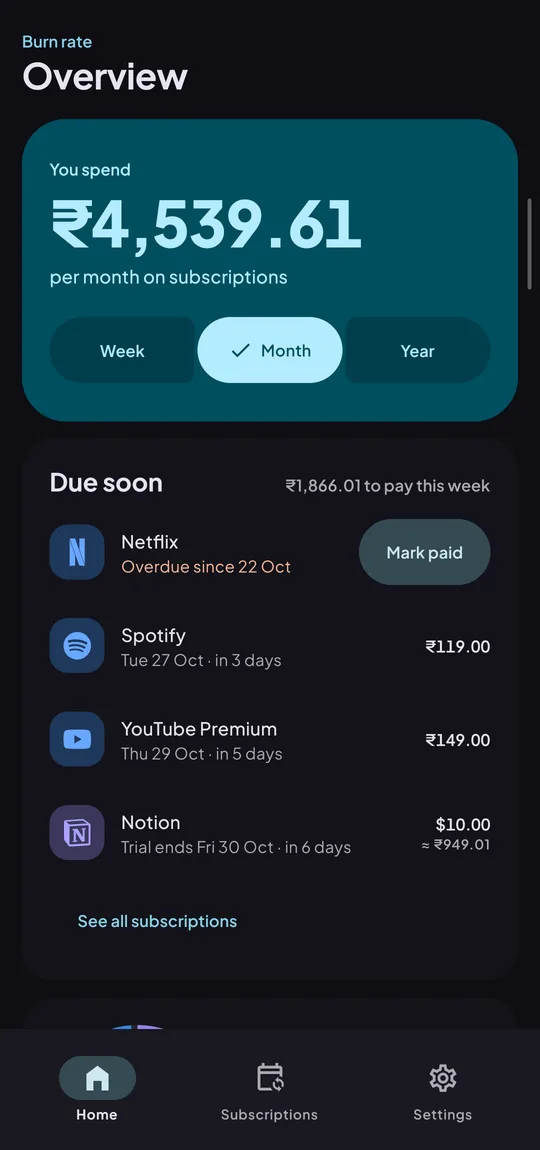
Burn rate
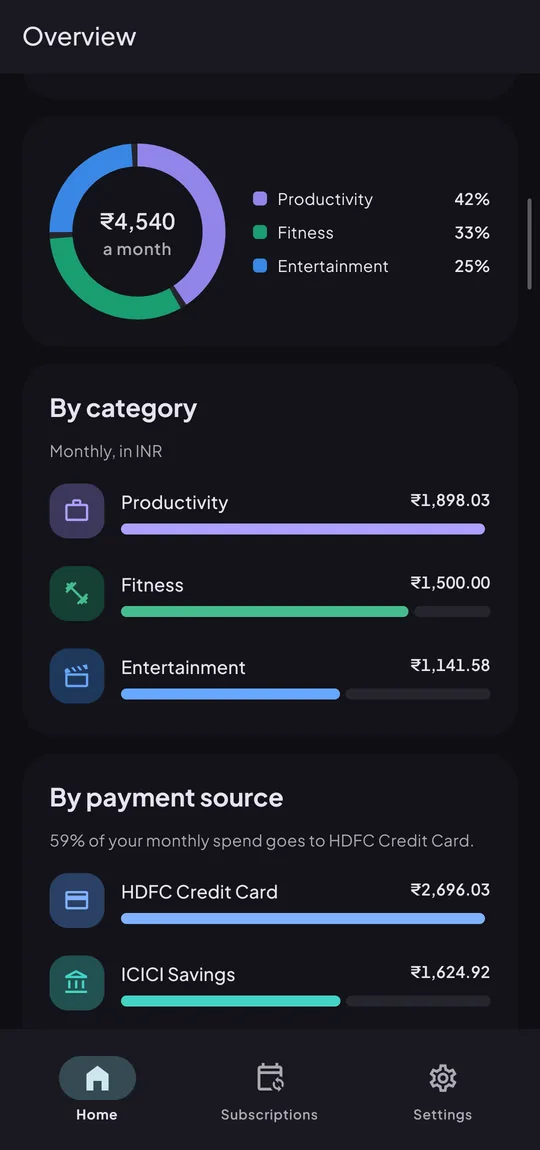
Your total spend per week, month and year, split by category and by the card or account each charge lands on.
Renewal reminders
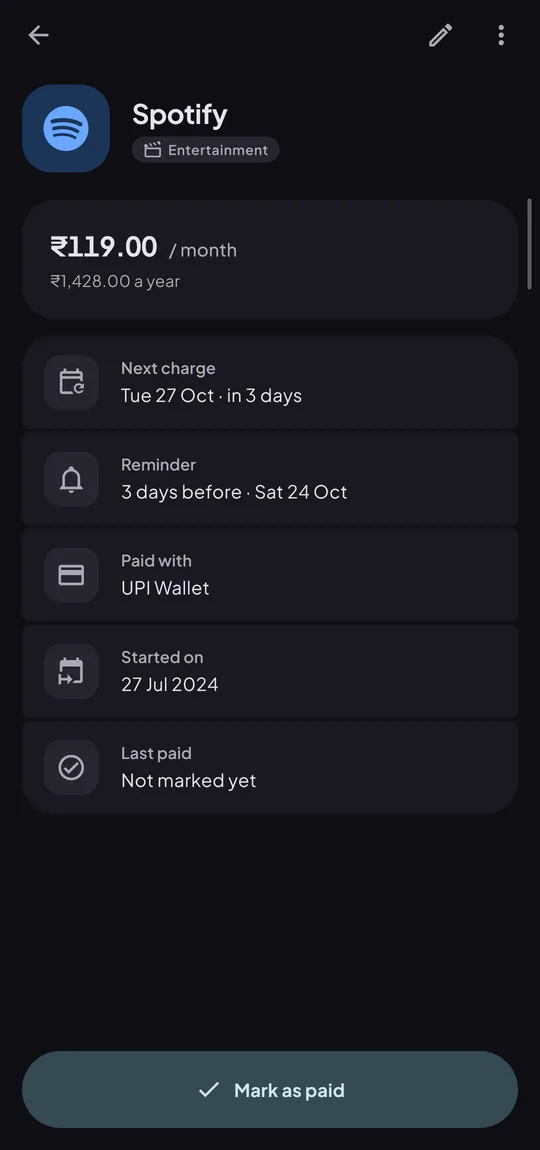
A notification 1, 3 or 7 days before each charge, scheduled on your phone, so it arrives even with the app closed.
Due soon
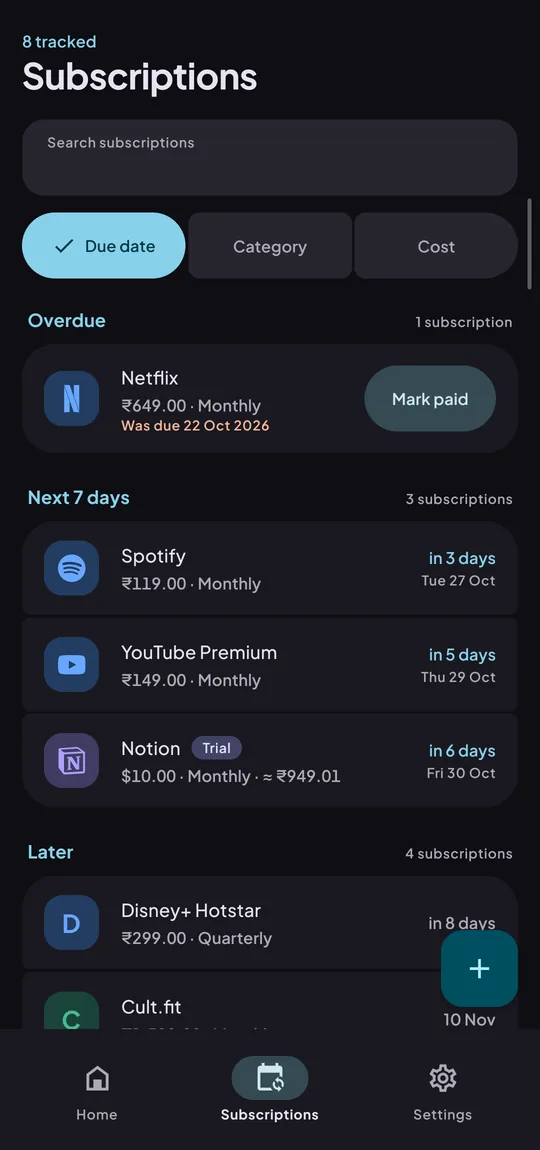
See what charges this week, which payments are overdue, and when a free trial ends. Mark a charge paid in one tap.
Any currency
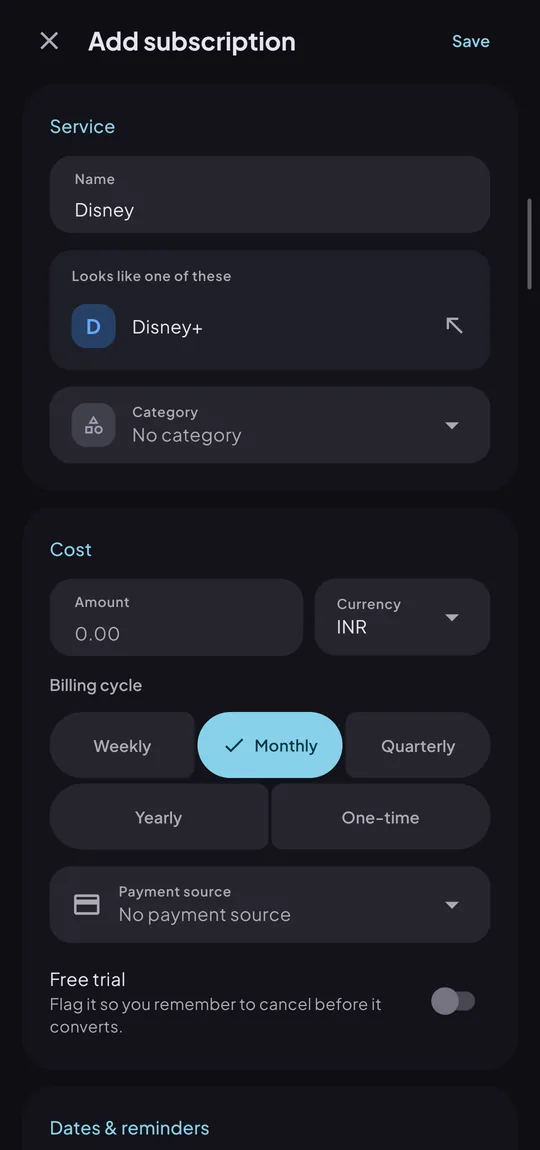
Enter each subscription in the currency you pay it in. Totals convert to your home currency, and your entries stay as you typed them.
Recognises brands
Start typing "Netflix" or "Spotify" and SubVora suggests the service, its logo and its category.
Readable offline
Your last synced list and totals stay on the phone, so you can check them without a connection.
A look at the app
Real screens from the current beta, with demo data.
Join the beta
The beta runs through Google Play's testing program. It takes about two minutes. Use the same Google account for all three steps: the one signed in to the Play Store on your phone.
-
Open Google Group
Join the testers group
Google lets testers in through this group. Open it and tap Join group.
-
Become a tester
Become a tester
Opt in to the testing program, then tap Become a tester.
-
Get it on Google Play
Install from Google Play
Open SubVora on the Play Store and tap Install. Then create an account inside the app.
- Check that you joined the group and opted in with the same Google account the Play Store uses.
- Wait a few minutes after opting in, then open the Play Store link again. Access can take a little while to appear.
- Already using the APK from GitHub? Installing from Play updates the same app. If Play refuses, uninstall the old copy first: your subscriptions are stored on the server, so you only need to sign in again.
Questions
What does "beta" mean here?
The app works and is used every day, but it is still changing. Updates arrive through the Play Store as usual. Things may move around between versions.
How do I send feedback or report a bug?
Post in the testers group or email gaurav2000ashish@gmail.com. A screenshot and what you tapped help most. You can also leave private feedback on the Play Store listing.
Do I need a Google Play account?
Yes for the beta, since it is delivered by Google Play. Prefer not to? The APK on GitHub Releases installs the same app directly.
Is there an iPhone version?
Not yet. SubVora is Android only for now.
What happens to my data?
Only what you enter is stored, to run the app. No ads, no selling data. Read the privacy policy, or delete your account at any time.